
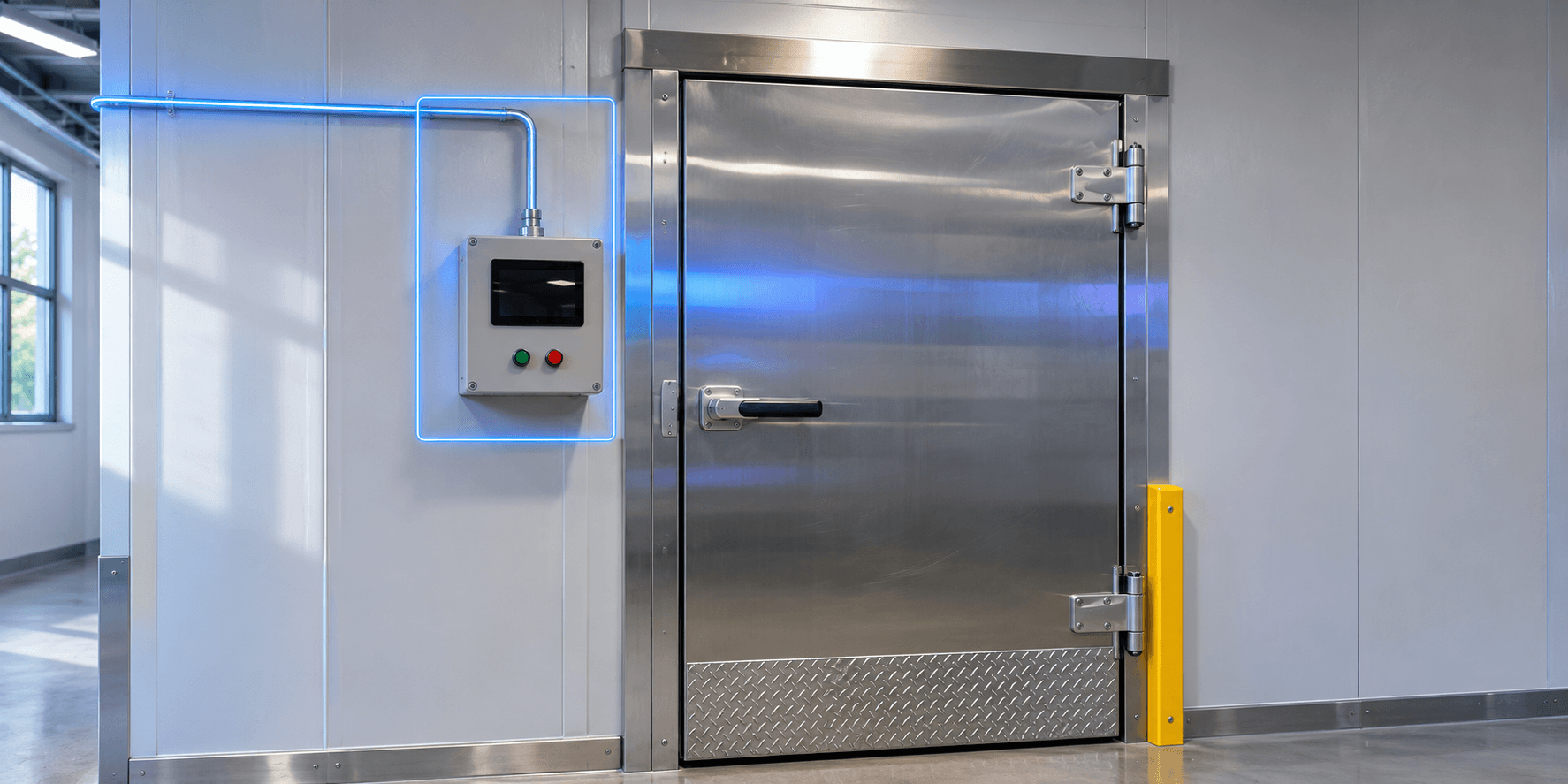
Retail chains, food distributors, and facilities operators run thousands of connected devices that nobody logs into: refrigeration controllers, building management gateways, cameras, and payment terminals. The attacks on commercial refrigeration systems across the EU in October and November 2026 showed what happens when such devices are reachable from the internet and invisible to the network team. This scenario shows how Cloudi-Fi helps an operator identify and contain that class of device across every site. It is a representative scenario, not a single customer account.
Problem
An operator with hundreds of stores, depots, or buildings has hundreds of small networks. Each has little or no local IT staff. Most of the equipment on those networks was installed by outside contractors and is managed remotely.
Four gaps make containment hard.
- Devices without a user. Refrigeration, heating, and lighting controllers cannot run an agent, cannot use multi-factor authentication, and usually cannot use 802.1X. The network sees an IP address and little else.
- Remote maintenance paths. Technicians reach site equipment over the internet. Access is often granted by broad firewall rules that are hard to review among thousands of others, and that do not say which technician is connecting to which device.
- No inventory per site. Security teams cannot say within hours which controllers sit on which segment, which are exposed, and which are unknown.
- Slow, manual change. Closing a gap means a site-by-site campaign, so a risk announced on Monday can still be open on every site the following week.
For retailers managing multiple stores, a refrigeration cyberattack illustrates why each controller should have access only to the systems it needs.
How Cloudi-Fi fits
Cloudi-Fi moves device identification and policy to the cloud and leaves the site network in place. The approach follows four steps.
1. Identify every device
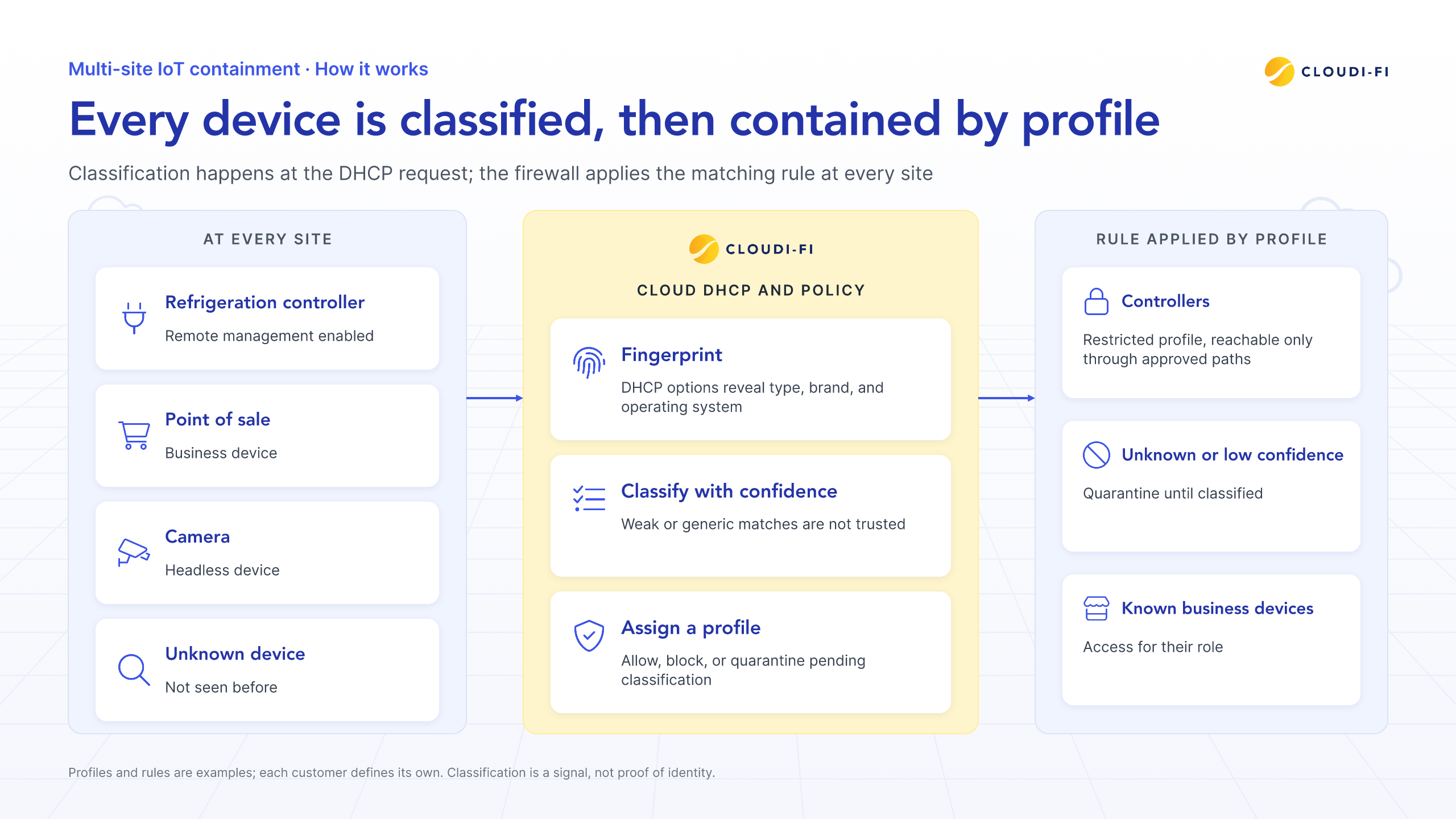
Each site relays DHCP requests to Cloud DHCP over an IPsec tunnel. Cloudi-Fi reads the options in each request, along with the MAC address, to classify the device by type, brand, operating system, and vendor. No agent runs on the device, no dedicated SSID is needed, and no on-premises DHCP server has to be maintained. Redundant tunnels and fallback options keep devices online if a site link fails.
2. Assign a profile
Each classified device receives a security profile. A profile can allow access, block it, or quarantine the device pending classification. Refrigeration and building controllers can be placed in a restricted profile of their own. Devices that match only a generic fingerprint, or no fingerprint at all, go to quarantine rather than receive broad access. Custom fingerprints and MAC-based rules cover fleets that the default database does not.
3. Enforce through the firewall
Firewall policy automation applies rules by IP address and profile on integrated cloud and on-site firewalls, including Zscaler and Fortinet. For a controller profile, an operator can define rules such as no inbound access from the internet, outbound access only to the services the manufacturer requires, and reachability only from approved management paths. A dedicated VLAN for controllers completes the containment inside each site, since traffic between devices on the same segment stays local.
4. Change policy at every site at once
When an advisory names a device family, the operator changes the profile once, and the change applies to every device classified in that family at every site. Cloudi-Fi Analytics shows which devices are connected at each site and how they are classified, so the team can focus on unknown and quarantined devices.
See how Cloudi-Fi supports multi-site retail networks.
What this approach does not do
- It does not scan for vulnerabilities, patch firmware, or change default passwords. Those remain with the manufacturer and the operator.
- A DHCP fingerprint is a classification signal, not proof of identity. A hostile device can imitate a trusted pattern, and many embedded devices share generic stacks that produce low-confidence matches. This is why unclear matches are quarantined.
- Devices configured with static IP addresses never send a DHCP request. They need another discovery method, such as a controller inventory or manual registration.
- Enforcement depends on the cloud or on-site firewall being integrated with Cloudi-Fi.
- The approach supports risk-management duties under regulations such as NIS2. It does not make an organization compliant on its own.
Outcome
- Every DHCP-connected device at every site identified and profiled, with unknown devices flagged instead of ignored.
- Controllers removed from direct internet reach, with exposure narrowed to approved paths.
- Unknown and low-confidence devices quarantined, not trusted by default.
- One profile change that reaches every site, instead of a site-by-site campaign.
- No on-premises DHCP server or NAC appliance to maintain at each location.
- One record of devices and access across sites, available for audit and incident reporting.
Cloudi-Fi operates in 90+ countries and 100K+ secured sites.
See how Cloudi-Fi identifies and contains IoT devices across every site. Request a demo.