

In today’s threat landscape, a Zero Trust checklist is essential for securing network access. Network Access Control (NAC) isn’t just another security tool, it’s a fundamental step in any Zero Trust security checklist. By validating every device and user before granting access, IT teams can enforce identity-first policies and reduce risk across the enterprise.
Download ZTNA checklist
What is Network Access Control (NAC) in a Zero Trust framework?
Think of your corporate network as a high-security building. In a Zero Trust model, no one gets a master key, every person and device must prove who they are and what they’re allowed to access.
That’s exactly the role Network Access Control (NAC) plays in a Zero Trust security framework.
Network Access Control is a security solution that verifies the identity and security posture of every user and device attempting to connect to the network. Within a Zero Trust model, NAC enforces identity-based policies, checks device compliance, and grants access based on least-privilege principles — not implicit trust.
At its core, NAC acts as an intelligent gatekeeper. It continuously monitors network connections, ensuring only authorized and compliant endpoints can access protected resources. This aligns directly with Zero Trust principles such as never trust, always verify and continuous validation.
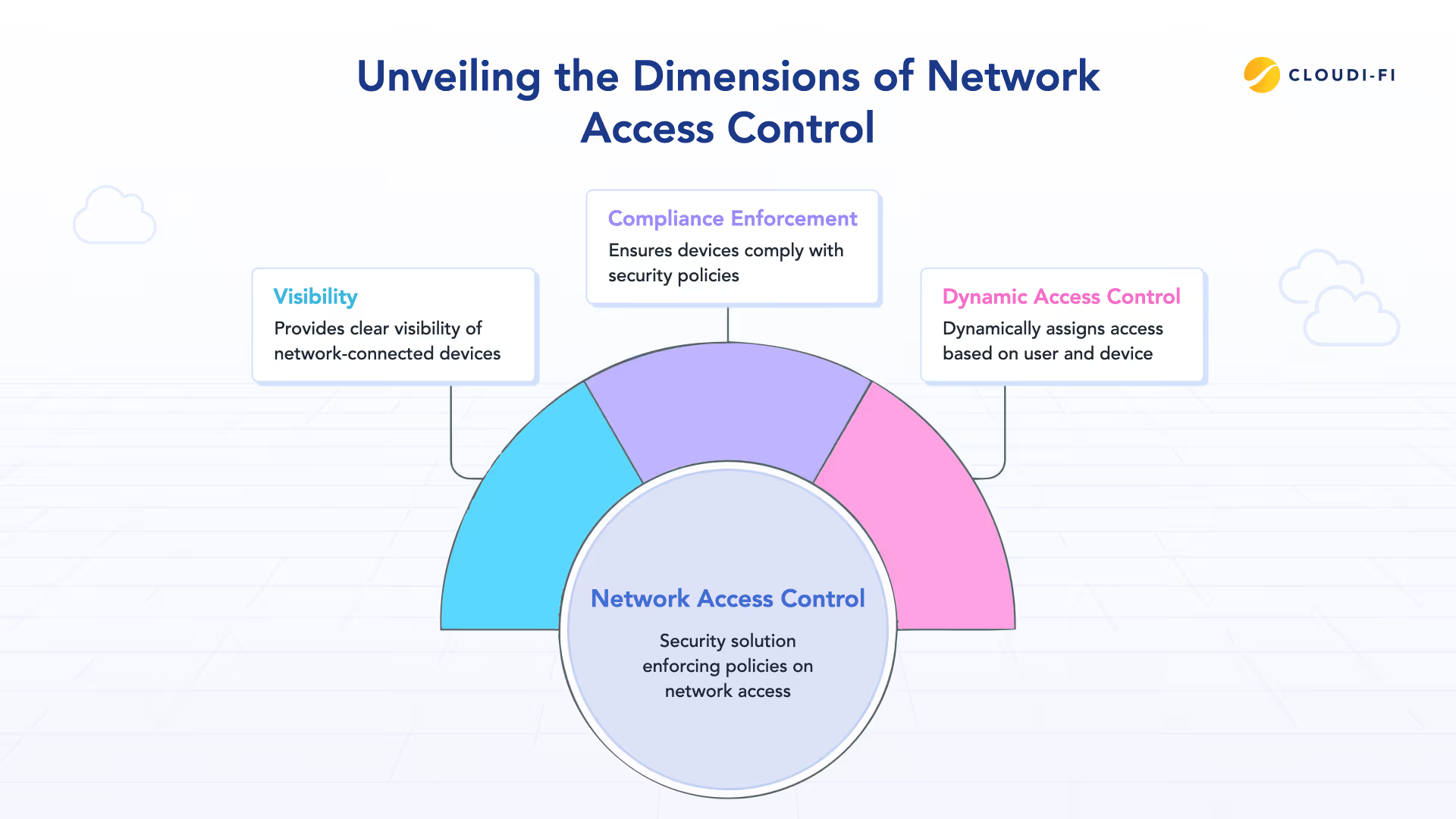
NAC also solves three critical challenges in modern IT environments:
- Visibility: With IoT, BYOD, and remote work, organizations must identify and track every connected endpoint to reduce blind spots.
- Compliance enforcement: NAC ensures devices meet security requirements — such as updated antivirus, valid certificates, and enabled firewalls — before access is granted, significantly reducing risk from non-compliant endpoints.
- Dynamic access control: Instead of static segmentation, NAC assigns access in real time based on user role, device posture, location, and context — a core requirement in any Zero Trust Network Access checklist.
By validating who is connecting, from what device, and under which conditions, NAC becomes a foundational control for implementing Zero Trust at the network level.
The security challenges NAC confronts head-on
Modern attackers don’t force their way into networks — they blend in. Once inside, they exploit blind trust, unmanaged devices, and flat network access. This is exactly where traditional perimeter security fails and where Network Access Control becomes essential in a Zero Trust checklist.
BYOD and IoT sprawl are a major risk. Enterprises now manage tens of thousands of connected endpoints, many of which are unmanaged, poorly secured, or rarely updated. Personal devices and IoT equipment often introduce security blind spots, expanding the attack surface and making identity-based access control critical.
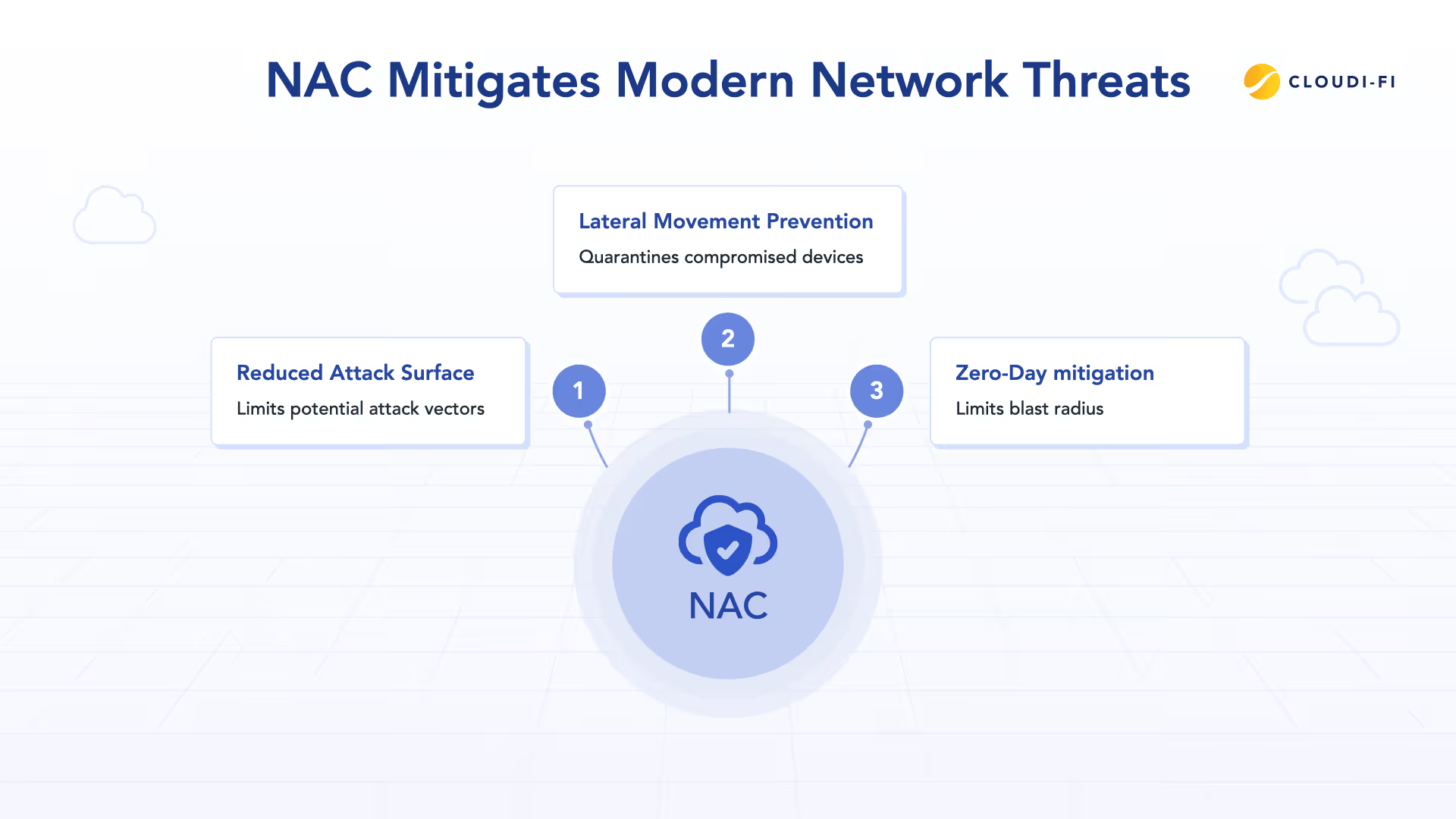
Insider threats and lateral movement remain another major challenge. Once a single endpoint is compromised — whether by a malicious insider or stolen credentials — attackers can move laterally across the network. Without NAC, even low-trust devices can potentially reach sensitive systems, violating Zero Trust principles.
Remote and hybrid work has effectively erased the traditional network perimeter. VPNs alone don’t validate device health, user context, or real-time risk. A compromised laptop connecting from an untrusted location can introduce threats directly into internal and cloud environments unless access is continuously verified.
Zero-day vulnerabilities further complicate defense strategies. NAC helps reduce the impact of unknown threats by enforcing baseline security posture checks. Devices that fail compliance can be automatically restricted or quarantined, limiting the blast radius of potential attacks.
NAC addresses these challenges through continuous authentication, real-time device posture assessment, microsegmentation, and automated remediation. When suspicious behavior is detected, NAC can isolate affected devices without disrupting the broader network — a core requirement in any Zero Trust Network Access checklist.
Authentication and Access Management deep dive: Credentials that guard your network
Authentication is only as strong as its weakest credential. In a Zero Trust checklist, verifying identity before granting network access is non-negotiable — every user and device must prove who they are, every time.
Network Access Control relies on multiple authentication methods, each suited to different risk levels and device types.
Digital certificates (802.1X / EAP-TLS)
Digital certificates are the gold standard for Zero Trust Network Access. Using mutual authentication, both the device and the authentication server validate each other through cryptographic certificates issued by a trusted Certificate Authority (CA). No passwords are transmitted over the network.
Certificates are highly resistant to phishing, brute-force attacks, and credential theft, making them ideal for managed corporate devices. However, they require a mature PKI, certificate lifecycle management, and structured deployment processes.
Best for: Corporate laptops, high-trust users, long-term Zero Trust strategies.
Username and password authentication (PEAP-MSCHAPv2 / EAP-TTLS)
Username and password authentication remains common due to ease of deployment and user familiarity. NAC solutions typically authenticate credentials against Active Directory, LDAP, or RADIUS servers, with PEAP encrypting the exchange.
While convenient, passwords are vulnerable to phishing and credential reuse. As part of a Zero Trust security checklist, passwords should always be paired with strong policies and multi-factor authentication, and treated as a transitional method rather than an end state.
Best for: Transitional deployments, user-based access with MFA.
PAC files and EAP-FAST
Protected Access Credentials (PACs) provide a middle ground between passwords and certificates. Stored securely on endpoints, PAC files enable encrypted authentication without full PKI infrastructure.
They are useful in environments moving toward stronger authentication but not yet ready for certificate-based access. PACs still require careful lifecycle management and revocation controls.
Best for: Phased Zero Trust adoption, certificate-light environments.
MAC authentication bypass (MAB)
For devices that cannot authenticate — such as printers, IP phones, or certain IoT equipment — NAC can use MAC Authentication Bypass. The device’s MAC address is checked against an allow list to grant limited access.
Because MAC addresses can be spoofed, MAB is the weakest method and should only be used with strict network segmentation and minimal privileges.
Best for: Low-risk, headless devices with restricted access.
Zero Trust takeaway
A strong Zero Trust Network Access checklist prioritizes certificate-based authentication, limits password use, and enforces least-privilege access for non-authenticating devices. NAC enables organizations to apply the right authentication method to the right device — without sacrificing security or usability.
Implementing NAC within a Zero Trust architecture
Implementing Network Access Control is not a one-time configuration change — it’s a foundational step in building a Zero Trust architecture. A successful deployment requires phased implementation, infrastructure readiness, and tight integration with identity systems.
Infrastructure prerequisites
As part of a Zero Trust Network Access checklist, your network infrastructure must support 802.1X authentication. Switches and wireless access points act as authenticators, forwarding requests to a RADIUS server for policy decisions. Wireless networks should support WPA2-Enterprise or WPA3-Enterprise encryption.
Most modern enterprise networking equipment supports these standards, but legacy hardware may need to be upgraded to enforce identity-based access controls.
RADIUS and identity integration
The RADIUS server is the policy enforcement point for NAC. It authenticates users and devices, integrates with identity stores such as Active Directory, Azure AD, or LDAP, and applies access policies based on identity, device type, and compliance posture.
High availability is critical. RADIUS servers should be deployed redundantly across multiple locations to prevent authentication outages. In a Zero Trust model, access control must be resilient — if authentication fails, productivity fails.
Cloud-native NAC platforms, such as Cloudi-Fi, simplify this architecture by modernizing 802.1X and delivering an identity-first, Zero Trust Network Access security model without on-premises complexity.
Network segmentation and access policies
NAC enables dynamic network segmentation, a key requirement in any Zero Trust checklist. Instead of static VLANs, access is assigned in real time based on who the user is, what device they’re using, and whether the device meets security requirements.
Typical segmentation models include:
- Corporate-managed devices with full access
- BYOD devices with restricted or internet-only access
- Guest devices isolated from internal resources
- Non-compliant devices automatically quarantined for remediation
This approach limits lateral movement, reduces attack surface, and enforces least-privilege access across the network.
Why this matters
A well-designed NAC deployment transforms network access from implicit trust to continuous verification. By combining 802.1X, RADIUS, identity integration, and dynamic segmentation, NAC becomes a core enforcement layer in a Zero Trust architecture checklist — protecting users, devices, and resources without disrupting operations.
Device and data protection in a Zero Trust NAC model
In a Zero Trust checklist, access to data is governed by both identity and device posture. Network Access Control enforces this by verifying who the user is, whether the device is compliant, and what level of access is appropriate — before any connection to sensitive resources is allowed.
By integrating NAC with identity systems, endpoint protection, and device management tools, organizations can apply continuous verification. If a device becomes non-compliant or exhibits suspicious behavior, NAC can immediately restrict or revoke access and isolate the device through segmentation policies.
This approach limits lateral movement, reduces breach impact, and ensures that only trusted users on compliant devices ever reach critical systems — supporting both security and regulatory requirements without disrupting modern, mobile workforces.
Deployment guidelines for IT Teams: From planning to production
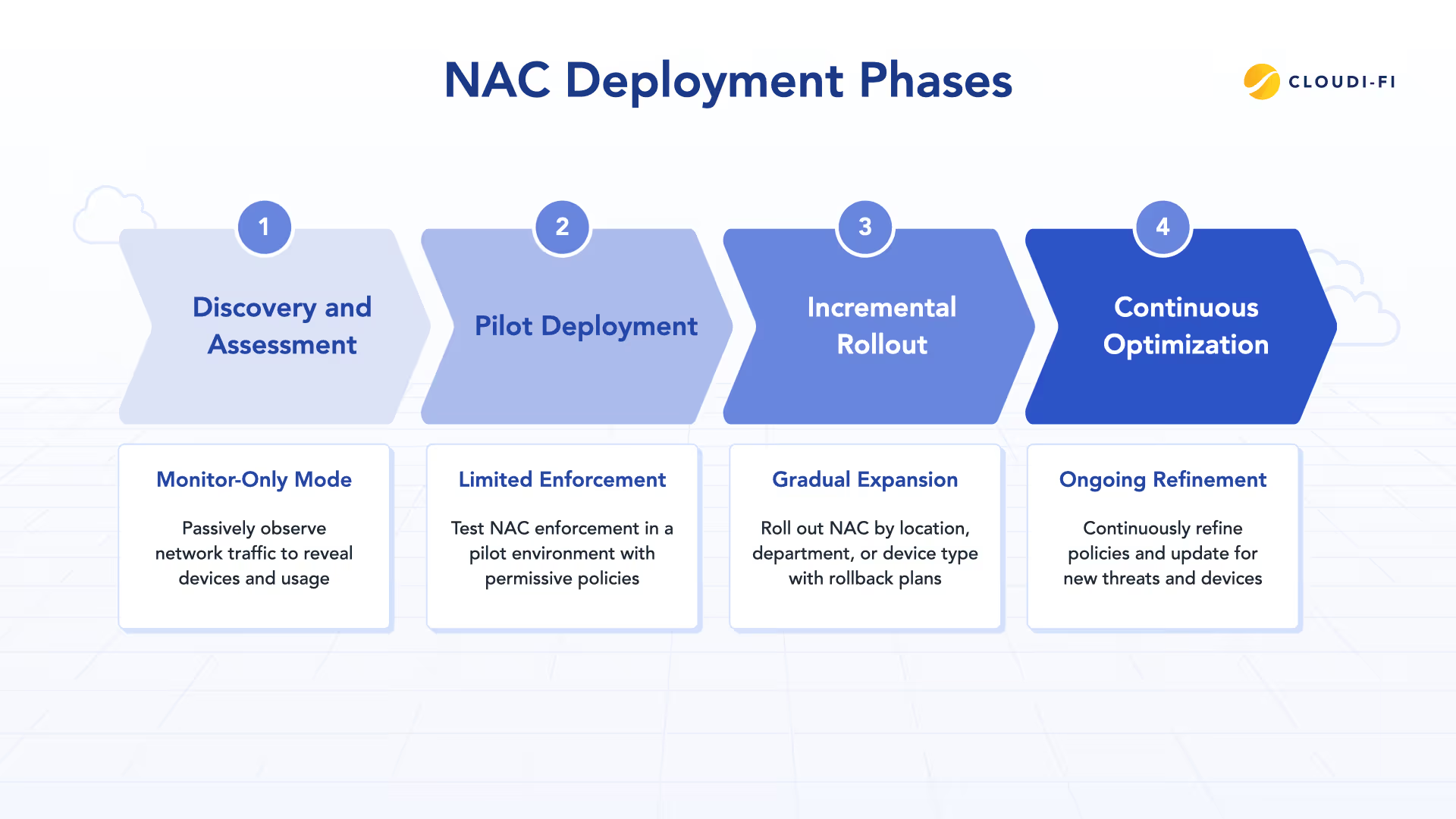
A successful NAC rollout depends on phased deployment, clear communication, and minimal disruption to business operations. As part of a Zero Trust checklist, NAC should be introduced gradually, validated continuously, and refined over time.
Phase 1: Discovery and assessment
Deployment begins in monitor-only mode, allowing NAC to observe network activity without enforcing access decisions. This phase establishes visibility into connected devices, authentication methods, and usage patterns, often revealing unmanaged or unknown endpoints. It also helps teams identify critical systems and environments that cannot tolerate downtime and determine suitable pilot groups for initial enforcement.
Phase 2: Pilot deployment
NAC enforcement is then enabled for a limited scope, such as a small user group, department, or location. Policies are intentionally permissive at this stage, allowing access while logging authentication and posture results. This phase validates RADIUS configuration, identity integration, and access policies, while giving teams the opportunity to document issues and refine troubleshooting procedures before broader rollout.
Phase 3: Incremental rollout
Once the pilot is stable, NAC enforcement is expanded incrementally across the organization. Rolling out by department, site, or device type reduces risk and allows teams to isolate and address issues without widespread impact. Clear communication and accessible support resources are essential during this phase to maintain user confidence and operational continuity.
Phase 4: Continuous optimization
NAC is not a one-time project. Policies must evolve as devices, users, and threats change. Ongoing optimization includes refining posture checks, reviewing authentication activity for anomalies, and tracking metrics such as reductions in non-compliant access and security incidents. In a Zero Trust model, access control remains adaptive rather than static.
Zero Trust NAC deployment checklist (preview)
Checklists turn complex security initiatives into repeatable, predictable outcomes. A Zero Trust NAC checklist provides IT teams with a structured way to plan, deploy, and operate Network Access Control without disrupting business operations.
Below is a high-level preview of the key phases involved.
Before deployment
- Confirm network infrastructure supports 802.1X and enterprise-grade wireless security
- Prepare identity, authentication, and certificate infrastructure
- Define user roles, device types, and least-privilege access policies
- Establish segmentation, quarantine, and remediation strategies
- Align network, security, and support teams on NAC scope and objectives
During deployment
- Start in monitor-only mode to validate visibility and authentication flows
- Pilot enforcement with limited users, locations, or device types
- Roll out NAC incrementally to minimize operational risk
- Communicate changes clearly and provide user support during rollout
- Monitor authentication success rates, access behavior, and user impact
After deployment
- Transition NAC monitoring and operations to security and network teams
- Refine access policies and posture checks based on real-world usage
- Integrate NAC events with monitoring and analytics tools
- Schedule regular policy reviews and optimization cycles
- Measure security and operational outcomes as part of your Zero Trust program
Conclusion: NAC as the foundation of Zero Trust
Zero Trust is not a single product or deployment — it’s an architectural shift. At the network level, Network Access Control provides the enforcement layer that turns Zero Trust principles into measurable, repeatable outcomes.
By validating identity, verifying device posture, and dynamically controlling access, NAC eliminates implicit trust and reduces exposure to modern threats. When implemented methodically, it enables organizations to secure users, devices, and data without compromising performance or productivity.
Cloudi-Fi approaches NAC with an identity-first, cloud-native mindset. By modernizing 802.1X and simplifying secure network access across distributed environments, Cloudi-Fi helps organizations adopt Zero Trust in a way that scales with today’s hybrid and cloud-driven IT realities — without the complexity of legacy deployments.
To explore how cloud-delivered NAC strengthens Zero Trust strategies across distributed enterprises, read:
How Cloud NAC enhances Zero Trust for multi-site enterprises
Whether you’re modernizing existing access controls or building a Zero Trust architecture from the ground up, NAC remains a foundational control — and a critical step toward a more resilient, adaptive security posture.